
After entering all your vendors into the system, it's important to create commission structures for each vendor. This ensures that when you import a booking from GDS, the correct commission is applied automatically. Let's walk through the steps:
Step 1: Navigate to Commission Structures
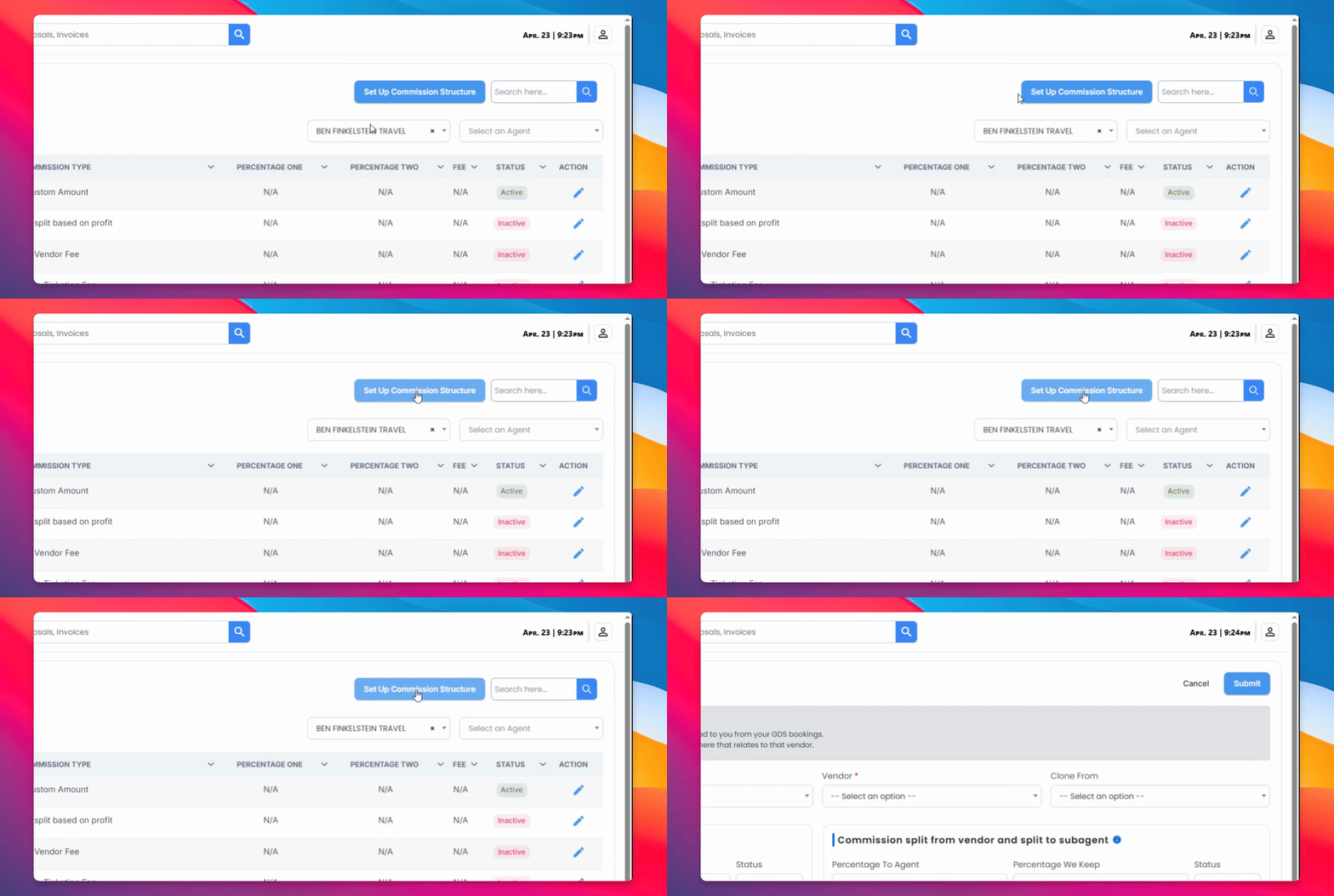
Navigate to the Commission Structures section, located just below the Vendors section, and set up a new commission structure.
Step 2: Select a Commission Structure
Once you click New Commission Structure, you'll see different options for commission structure types. Fill in only the ones relevant to that vendor.
Differant Commission Splits
Most Common Commission Split: This refers to the percentage of the total earnings that an agent receives as their net income after deducting the vendor's share.
For example, if an individual earned $100 and their commission split is 70%, their net income would be $70, while the remaining $30 would be the vendor's share.
Split of Savings: This refers to the percentage of savings that is between the published fare and the private fare. For example, if a private fare saves $200 compared to the published fare and the vendor's fee for this split is 40%, they would take $80 as their share.
Office Ticketing Fee: This refers to the fee charged by the office for handling the ticketing process while the agent deals with the client. For example, if an agent has a client who wants to book a flight, but the agent does not have the resources or expertise to handle the booking process, the office would take care of the ticketing process for the client. In this case, the office would charge an office ticketing fee for their services, which may vary depending on the company's policies and practices.
Straight split based on profit: This refers to a commission structure where the total profit earned from a ticket is split with the agent. For example, if a ticket is sold for $500, and the total costs associated with selling the ticket (including any vendor fees, commissions, or other expenses) amount to $300, the profit would be $200. In a straight profit-based split, the agent would receive a percentage of this profit, which may vary depending on the agency's policies and practices.
Commission split from vendor and split to subagent: The commission is first divided between the vendor and agency. After the agency receives their share, they split the remaining amount with the subagent. For example, if the commission is $100 and the agency’s commission is 70%, they would receive $70. Then the $70 would be split between the agency and the subagent. If the split is 50%, the subagent would receive $35, and the agency would receive the remaining $35.
Self Issue Ticketing Fee: This refers to the fee charged by the office for finalizing ticketing after the agent has done the legwork. For example, when an agent completes the booking process for a client, the office would charge a self-issue ticketing fee for finalizing the ticket. The fee amount may vary depending on the company's policies and practices.
Vendor Fee: This refers to a flat rate fee charged by the vendor for their services, in cases where no commission was earned. In some cases, vendors may charge a fee even if commission is earned. The fee amount may vary depending on the vendor's policies and practices.
Custom Amount: The flat rate amount the PCC will pay an agent for booking a ticket.
Step 3: Clone Existing Structure
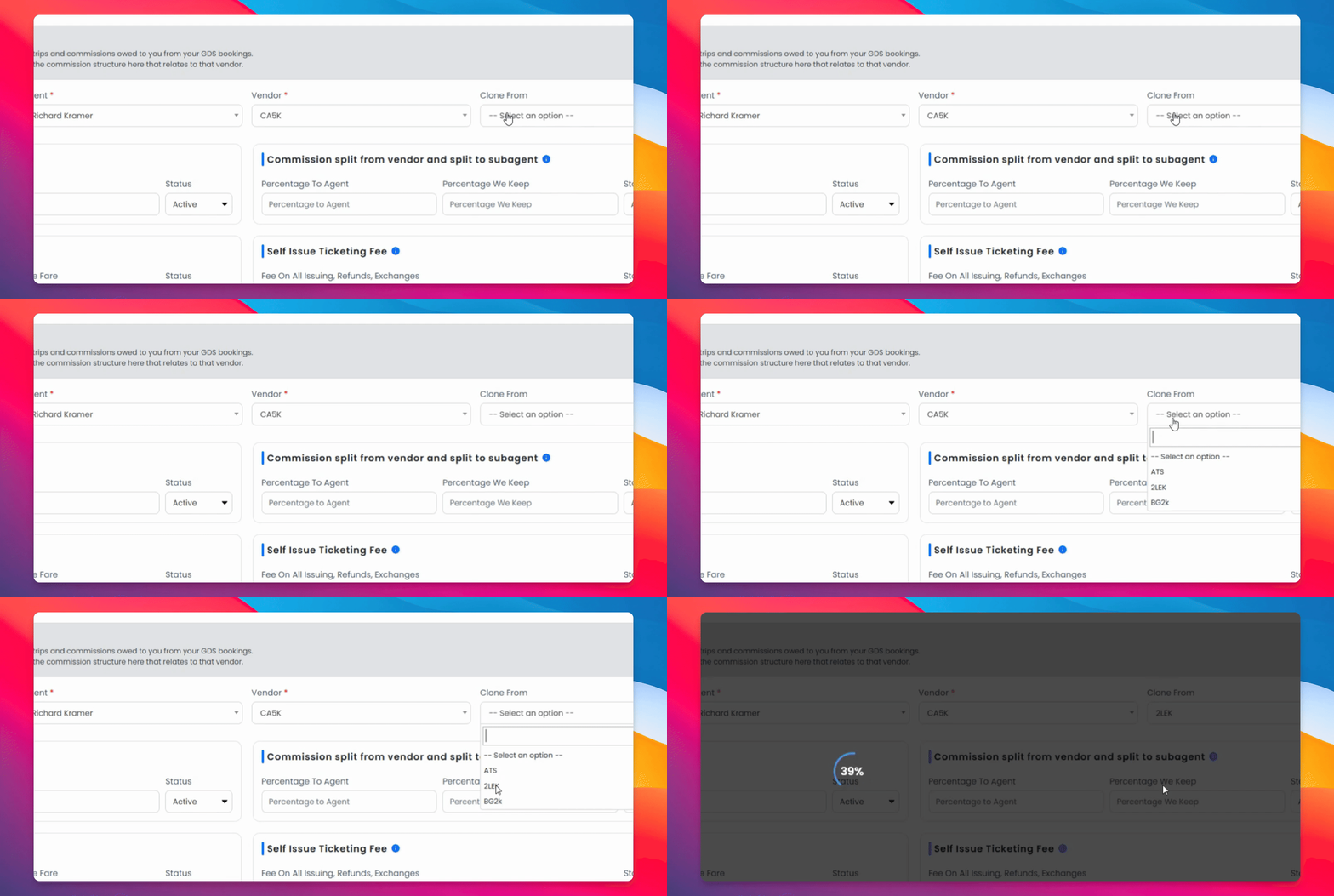
You can also clone a commission structure from a vendor you've already set up.
Step 4: Specify Agent and Vendor
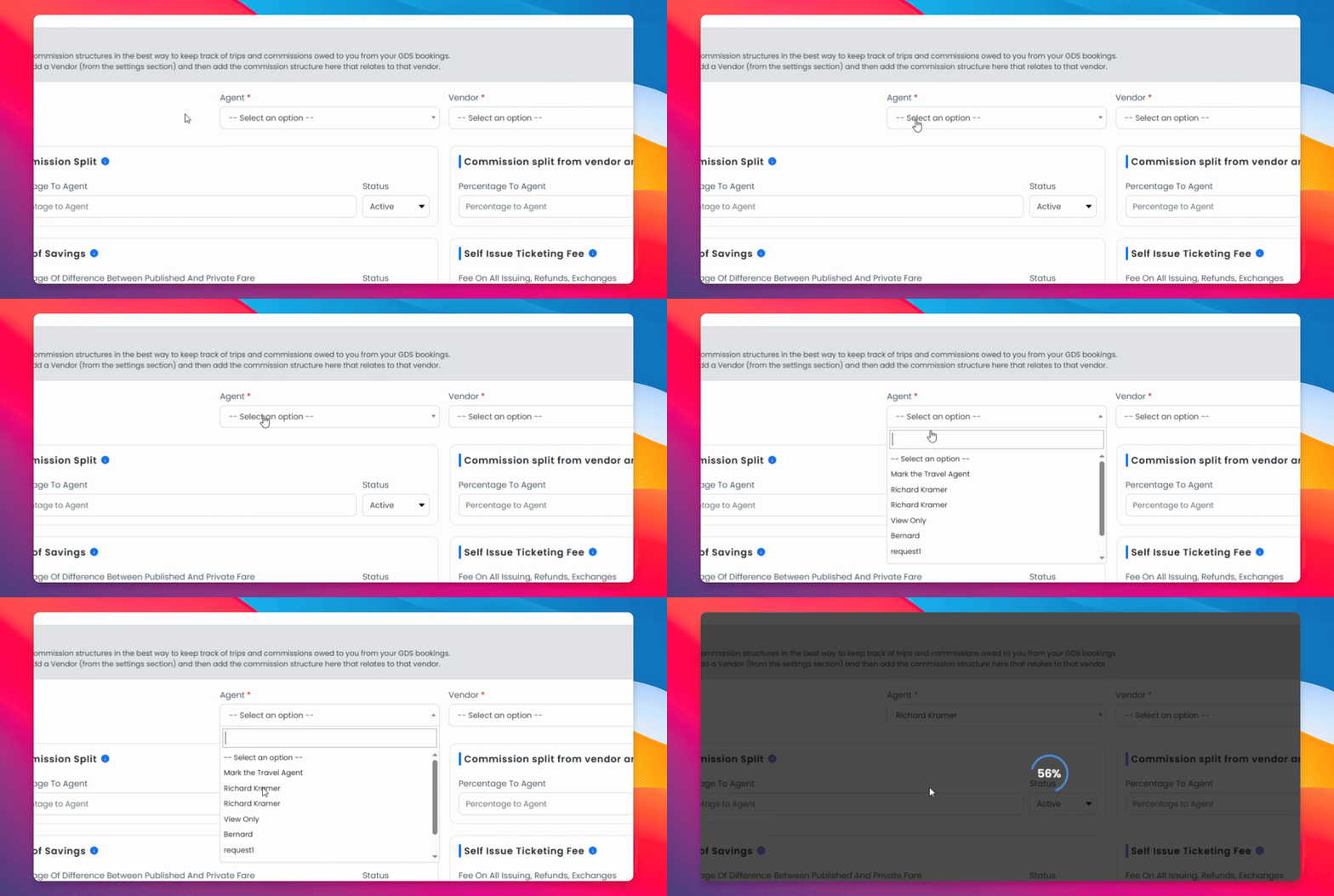
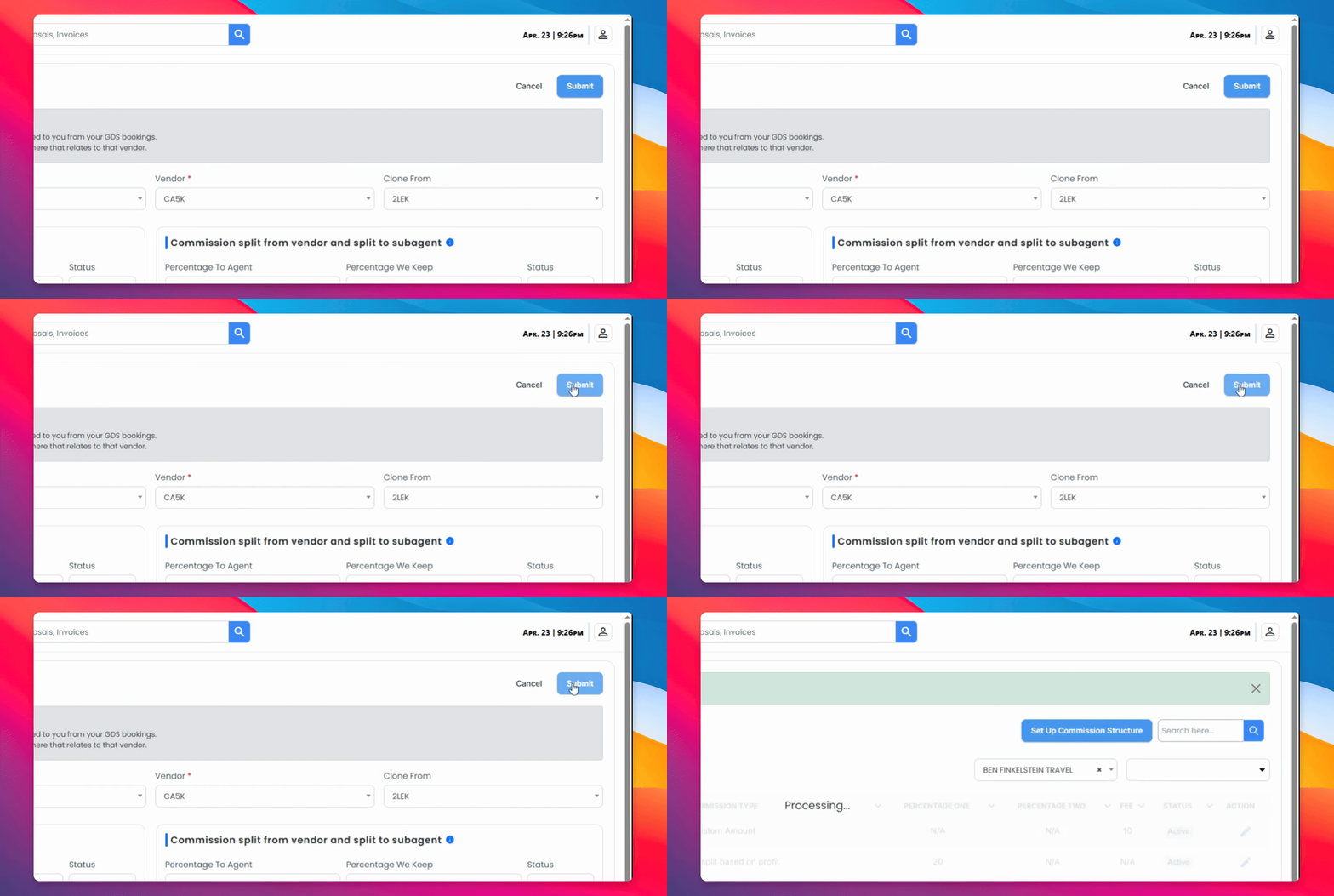
Select which agent this structure applies to, and choose which vendor you are cloning from.
Step 5: Submit Information
Once you've filled in the structure that best fits your vendor, click Submit.
Step 6: Toggle Active/Inactive Status
You can return at any time to edit the structure or change its status between Active and Inactive.
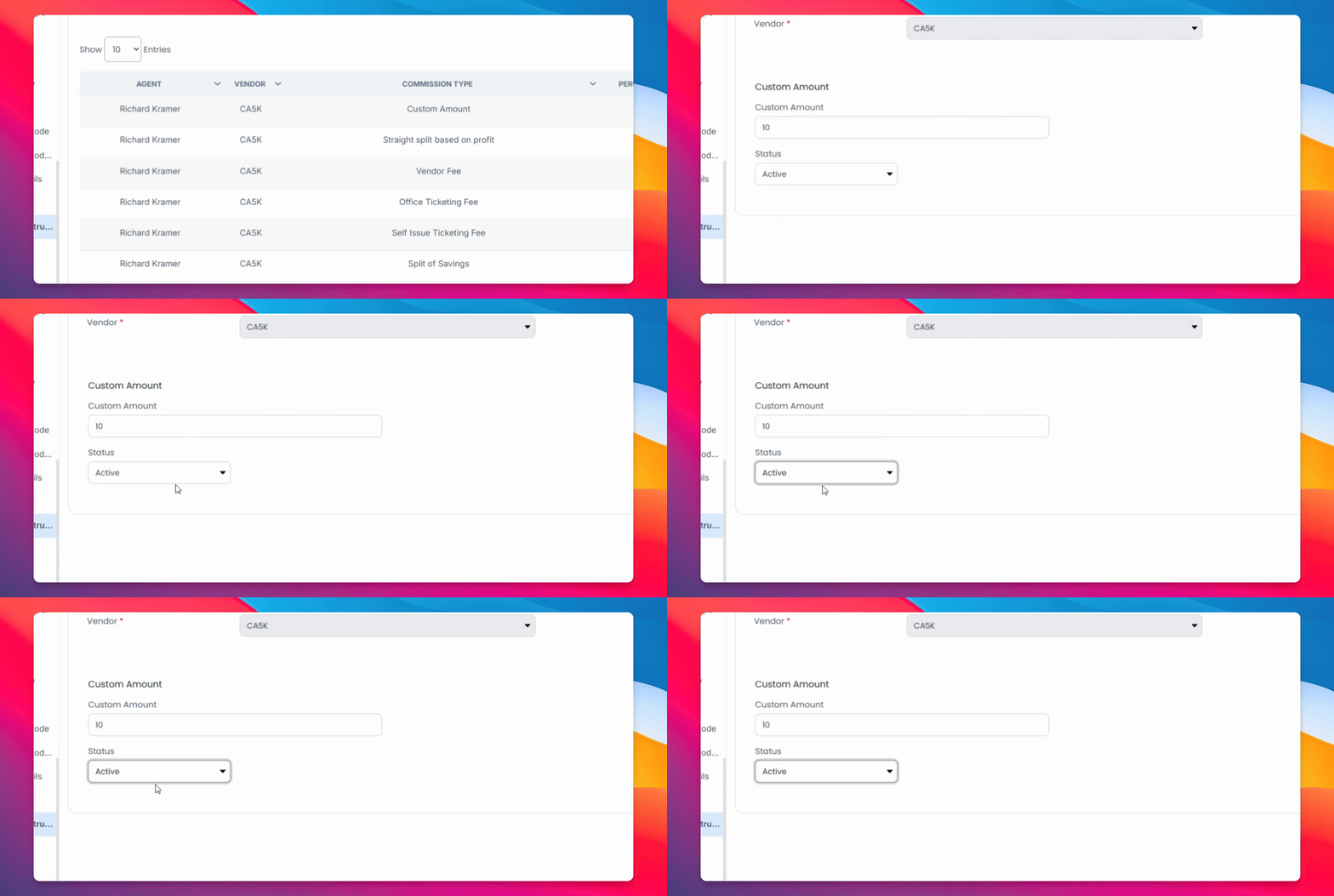
Your commission structure is now active and will automatically apply when bookings are imported.